# Monad Re-Genesis

Since Monad have redeployed their testnet it means all of our contracts and state from the testnet season are no longer there. As with all projects on Monad, we have had to redeploy new versions of our contracts. Because of this, all of testnet users will have to now claim some nUSD and deposit it into the Nunchi platform to carry on trading with our perps.

We will be giving everyone a fresh slate and 50,000 nUSD to play with in testnet. All you have to do is:

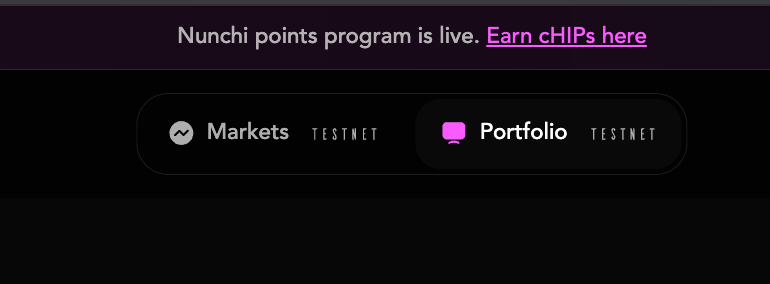
1. Click Portfolio in the site navigation:
<figure><img src="/files/F1xMb6yeXoBPShxEJjkk" alt=""><figcaption></figcaption></figure>

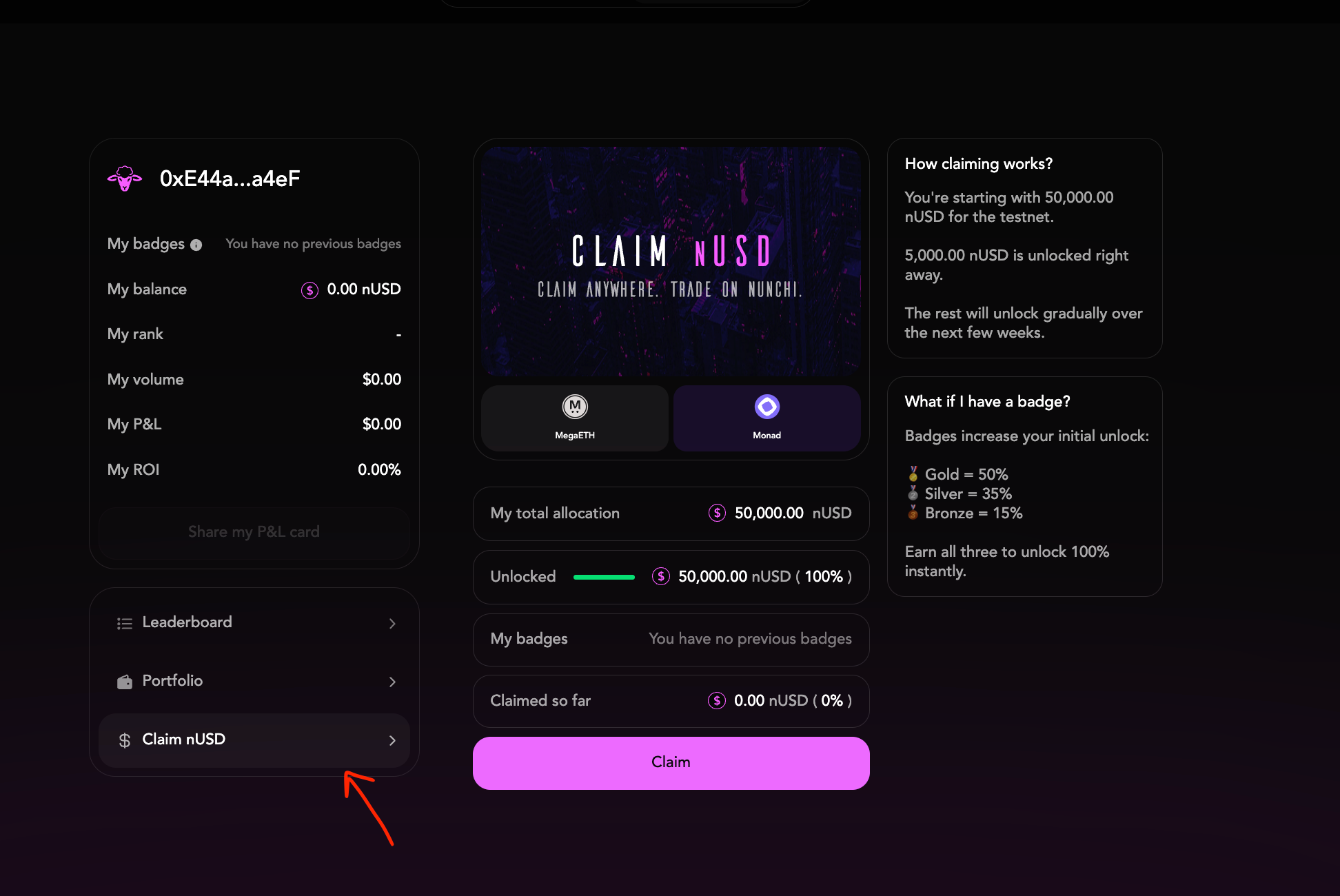
2. Click the Claim nUSD tab, then press claim:
<figure><img src="/files/Eoqnaken7yE75HJnygjW" alt=""><figcaption></figcaption></figure>

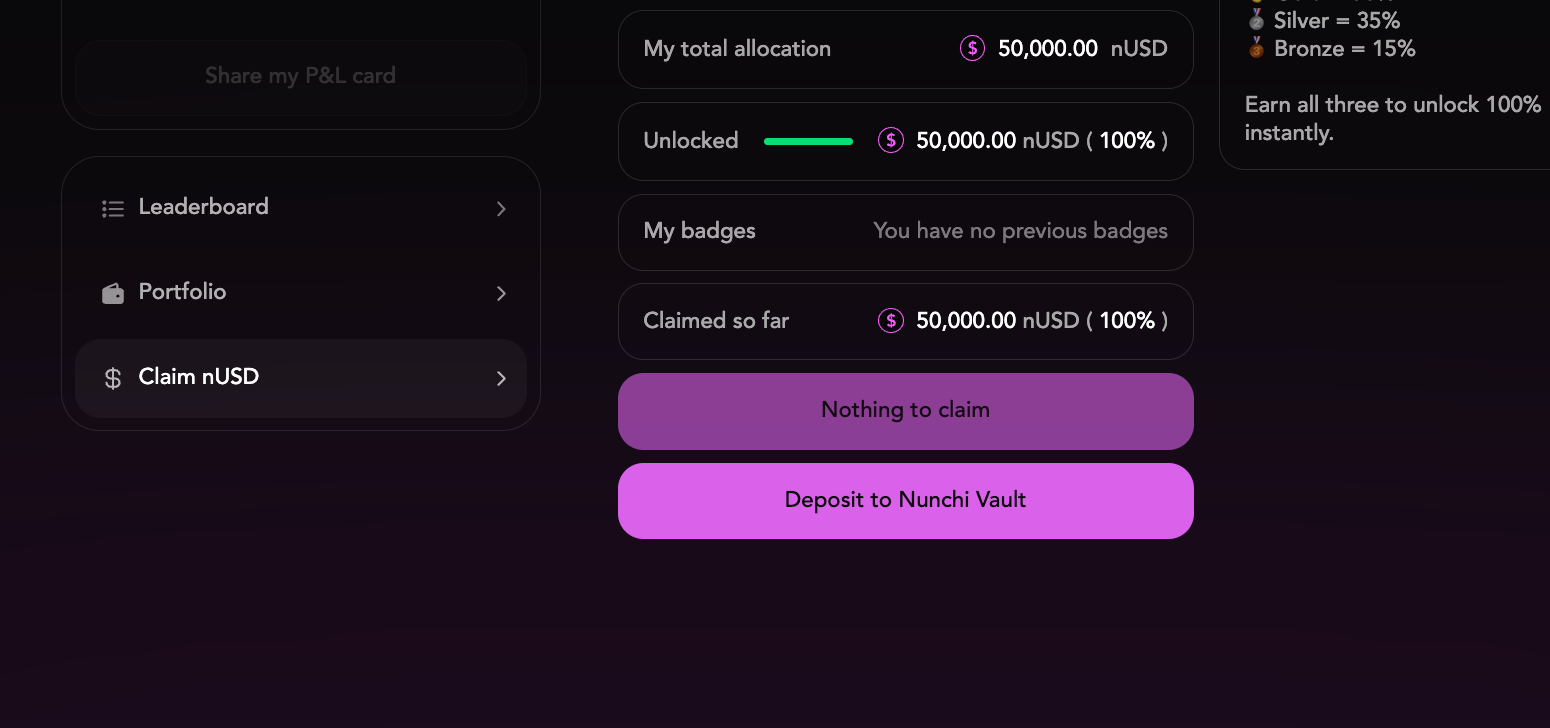
3. After claiming, press “Deposit to Nunchi Vault”. Approve the two transactions. After that your nUSD will be in your Nunchi Testnet account and ready for you to trade with:
<figure><img src="/files/LKZMLrICtyCqsI2J6Mpc" alt=""><figcaption></figcaption></figure>


---

# Agent Instructions: Querying This Documentation

If you need additional information that is not directly available in this page, you can query the documentation dynamically by asking a question.

Perform an HTTP GET request on the current page URL with the `ask` query parameter:

```
GET https://docs.nunchi.trade/nunchi-testnet-user-guide/monad-re-genesis.md?ask=<question>
```

The question should be specific, self-contained, and written in natural language.
The response will contain a direct answer to the question and relevant excerpts and sources from the documentation.

Use this mechanism when the answer is not explicitly present in the current page, you need clarification or additional context, or you want to retrieve related documentation sections.
